













A Linktree alternative for brands is a link-in-bio page that does more than list links: it carries your branding, runs competitions, polls and quizzes, and captures data you own. Campaignware does this with Omnihub, our hub template that brings several digital experiences together in one branded page, plus Campaign Link for tracked short links and QR codes.
When is a simple link list enough?
Linktree is a popular link-in-bio tool, and many creators and individuals use it to share a simple list of links. If you only want to point people to your blog or YouTube channel, and you don't need to collect data, match your brand's look or run campaigns, a link list does the job.
Brands usually need more from the same click. When your goal is measurable engagement, leads and a destination that looks like your brand, the page itself has to do some of the work.
What do brands need from a link in bio?
| What your brand needs | How Campaignware does it |
|---|---|
| A page that looks like your brand | Your logo, colours, fonts and media, on your own web address |
| Engagement, not just clicks | Competitions, polls, quizzes, votes and spin and win on the page itself |
| Data you own | Data capture forms with consent, GDPR-compliant, with the data going into your CRM |
| Tracking on every link | Campaign Link short links, QR codes and UTM tags, plus your own Google Analytics and Meta scripts |
| Content in one place | Video, livestreams and tables embedded in the hub |
| A bridge from physical to digital | QR codes for in-store, in-stadium and live event activations |
Six reasons brands use Campaignware as a Linktree alternative
1. A branded hub, not a static list
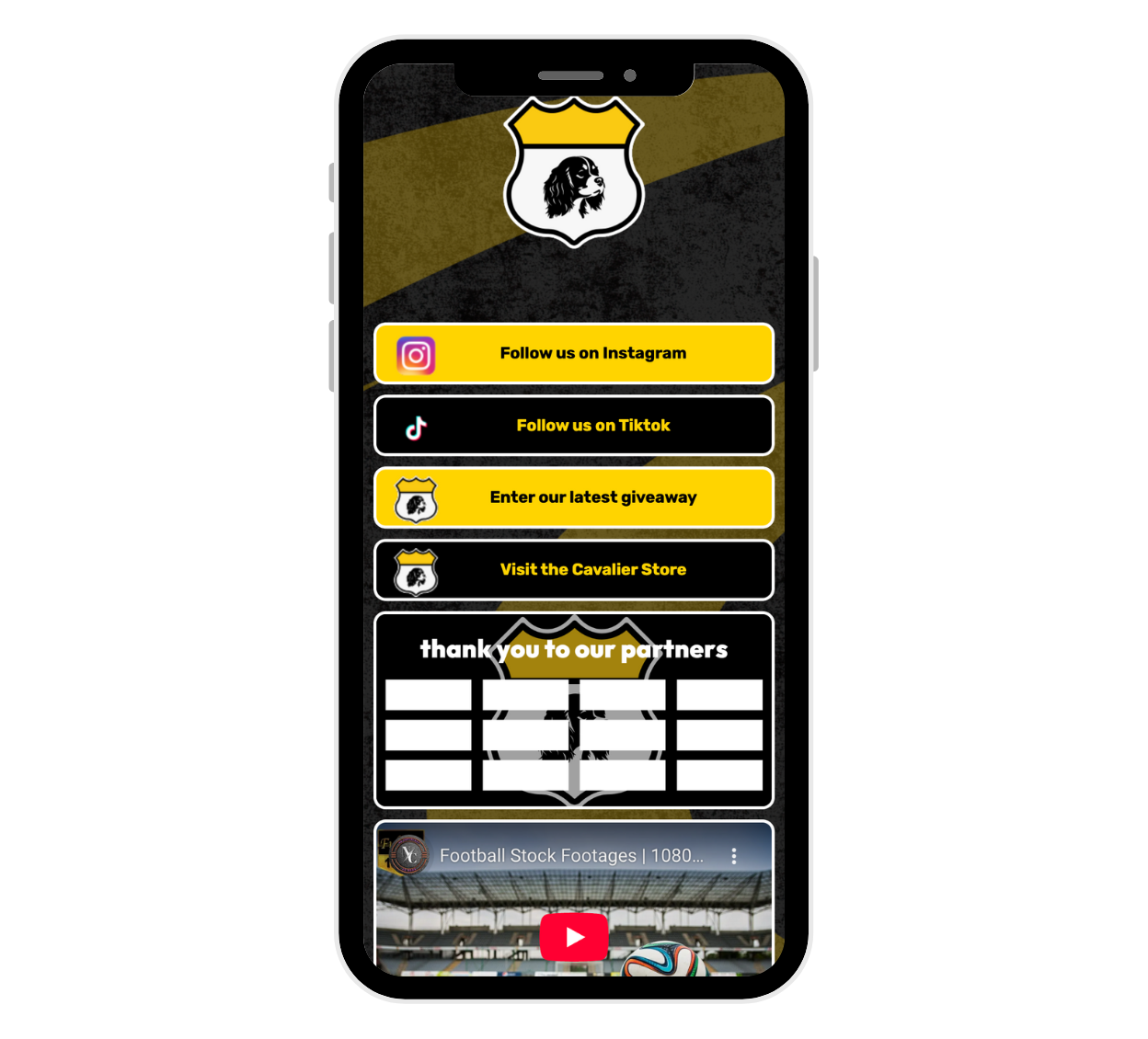
For a brand, a list of links doesn't fully show who you are. With Campaignware, your link in bio becomes an interactive brand hub where you can:
- match the look and feel to your brand
- choose the web address your page sits on
- add your retargeting scripts to power future ad campaigns
- link to shoppable content from your store
- engage your audience with competitions, polls, forms and quizzes
- embed video content, livestreams and tables
It works on mobile and always looks like your brand, not a template.
“Your Link in Bio should feel like an extension of our brand, not a generic list that looks just like everyone else's”
Adam Mussa, CEO, Campaignware
2. Real engagement, not just clicks
Links send traffic somewhere else. On Campaignware, every campaign or link can include an interactive digital experience, such as a quiz, a spin and win or an instant giveaway, which gives your audience a reason to stay, join and convert. It's the difference between a drive-by visit and a brand experience:
- host competitions or votes directly on your link in bio
- use product finder quizzes to recommend products and drive purchases
- keep people on your page longer with interactive media
3. Data captured where the attention is
Instead of sending visitors elsewhere to take action, Campaignware keeps the connection in one place. Data capture forms, CRM-ready fields and GDPR-compliant lead generation are standard. You can collect emails, survey answers, preferences and even user-generated content on the page, all in your brand. Whether you want to understand product preferences or grow your email list, your link in bio becomes a marketing asset.
4. Total brand control
First impressions count. Set the look and layout of your link in bio with your own branding, colours and media, so it suits promotional campaigns, sponsorship activations, event hubs or shoppable layouts. You can even run it on your own web address, so the link is fully yours.
5. Measurement that proves ROI
Go beyond basic clicks:
- see your key metrics, such as impressions, unique users, clicks and completion rates, in the reporting in the platform
- track which channel drives the most conversions with UTM tags, QR codes and short links from Campaign Link
- add tracking scripts and pixels for Meta or Google Analytics
You can then put more behind what works, which matters for any brand or agency team running campaigns across several channels.
6. Online and at live events
The same hub works in the real world. Brands can put a QR code in store, in the stadium or at a live event, and people vote, enter or claim rewards on their phones while you capture the data in real time. At Race of Champions Sydney, four campaigns sat in one Omnihub, reached from a QR code on the big screen at Accor Stadium, with 35 to 40% conversion from impressions to hub engagement. Read the Race of Champions case study.
How to set up a branded link in bio with Campaignware
- Pick a template. Start with the Omnihub template for your hub.
- Put it in your brand. Add your logo, colours, fonts and imagery, and choose your web address.
- Add your experiences. Bring in links, video and campaigns such as a competition, a poll or a quiz, with prizes and terms.
- Share it. Put the link in your social bios, and create tracked short links and QR codes with Campaign Link. You can change where a QR code points without reprinting it.
- Collect consented data. Every entry adds a contact you can reach again, and the data goes into your CRM.
- Report the results. Check impressions, unique users and clicks in the platform, and see which channels work best.
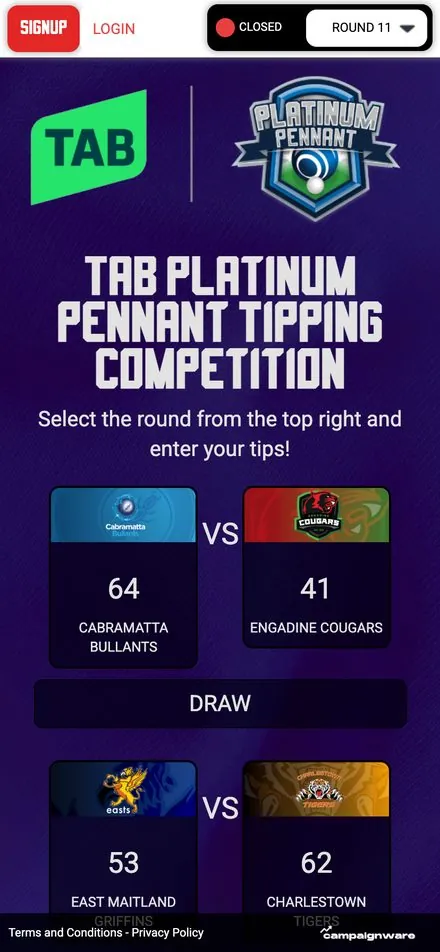
Bowls NSW, for example, brought a tipping competition, weekly votes and live streams together in one hub and took weekly admin from hours to minutes: read the Bowls NSW case study. See more on how brands use Campaignware for brand activation, or why an official app is only half the story for clubs.
Frequently asked questions
What is a good Linktree alternative for brands?
A good Linktree alternative for brands is a link-in-bio page that runs in your branding, on your own web address, and does more than list links. Campaignware's Omnihub template lets you add competitions, polls, quizzes and video to the same page, capture consented data and track every visit with your own analytics scripts.
Can a link-in-bio page capture leads?
Yes. With Campaignware, your link-in-bio page can include data capture forms, so people enter a competition, vote or take a quiz and share their details with consent in the same visit. The data goes into your CRM, so every visitor who takes part becomes a contact you can reach again.
What is the difference between Omnihub and Campaign Link?
Omnihub is the page: our hub template that brings several digital experiences together in one branded page. Campaign Link is how people get there: it creates a short link, a QR code and a UTM tag in one step, so you can track every channel and change where a QR code points without reprinting. Campaign Link is included in the plan.
Can I use my own domain for my link in bio?
Yes. Campaignware campaigns and hubs carry your branding and fonts and can run on your website or your own web address, so the link people see is yours. You can also add your own marketing scripts, such as Google Analytics and Meta, to track and retarget the people who visit.
Ready to turn your link in bio into a hub that captures data? Book a demo, or talk through your project.